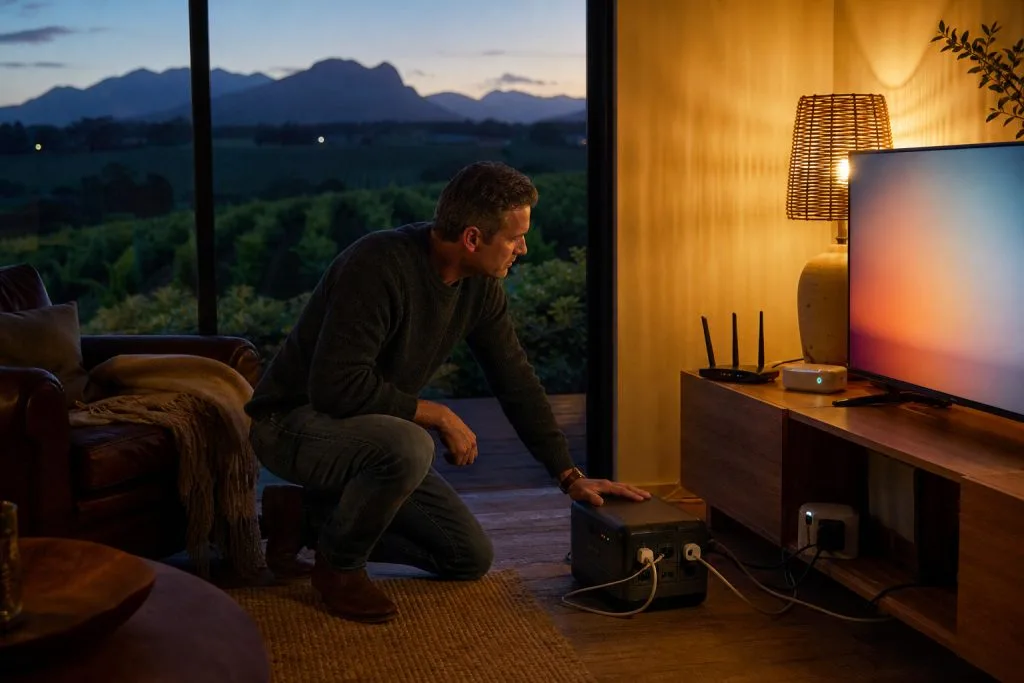
Keep watching and stay connected when the power dips: without spending a fortune or filling the house with humming boxes.
Few things interrupt a relaxed evening like the power cutting out mid-match. The good news is that keeping your TV, internet and security online through loadshedding is more affordable than most people think, because the equipment involved draws very little power. You don't need a roof full of solar to keep watching; you need the right small backup in the right places.
Start with the small stuff
Your router, decoder and a single TV draw a fraction of what a kettle or geyser does. A modest inverter or a dedicated battery backup: a "mini-UPS", can keep your WiFi router and fibre ONT running for hours on its own. That means your phones, laptops and security cameras stay connected even when the lights are out, which is often all a household really needs to ride out a two-hour slot.
A mini-UPS for the router is genuinely cheap and plugs in without an electrician. If you also want the TV and decoder to stay on, a slightly larger inverter trolley or a small inverter wired to a dedicated plug circuit does the job. The trick is matching the battery to the runtime you actually need.
Don't forget the gate and cameras
Security is where backup power earns its keep. A gate motor that dies during loadshedding is an inconvenience; cameras that go dark are a real gap, especially on a smallholding or a guest farm where the property is spread out. We can wire CCTV and recording gear to backup power so your property stays watched and your footage keeps rolling right through the schedule: there's more on planning camera coverage in our guide to choosing CCTV for a winelands home.
WiFi that survives the dip
If you work from home, the router is the one thing you cannot afford to lose. Backing it up is simple, but it only helps if the WiFi reaches where you need it in the first place. On a long farmhouse or double-storey home, that often means mesh and access points as well as backup: otherwise you're keeping a signal alive that never reached the back bedroom anyway.
Planning it properly
- List what must stay on: router and ONT almost always; decoder and one TV often; gate and cameras for security.
- Size the battery to the longest slot you realistically face, with a little headroom.
- Wire it so it switches over automatically: you shouldn't have to flip anything when the power goes.
- Keep the backup gear ventilated and out of the way, not stuffed in a hot cupboard.
For a plan that covers your whole setup properly, our DStv installation team in Wellington can wire your backup the right way the first time.
The smart move is sizing the backup to what you actually need to keep on, and wiring it cleanly so it switches over without you lifting a finger. That's a conversation worth having with someone who installs this gear every week: we'll help you spend on the right things and skip the rest. Get in touch and we'll put together a sensible, no-overkill plan for your home.
Need a hand with this?
We are a quick call or WhatsApp away. Tell us what you are after and we will sort it: neatly, and the first time.
Get a quote →